Introduction
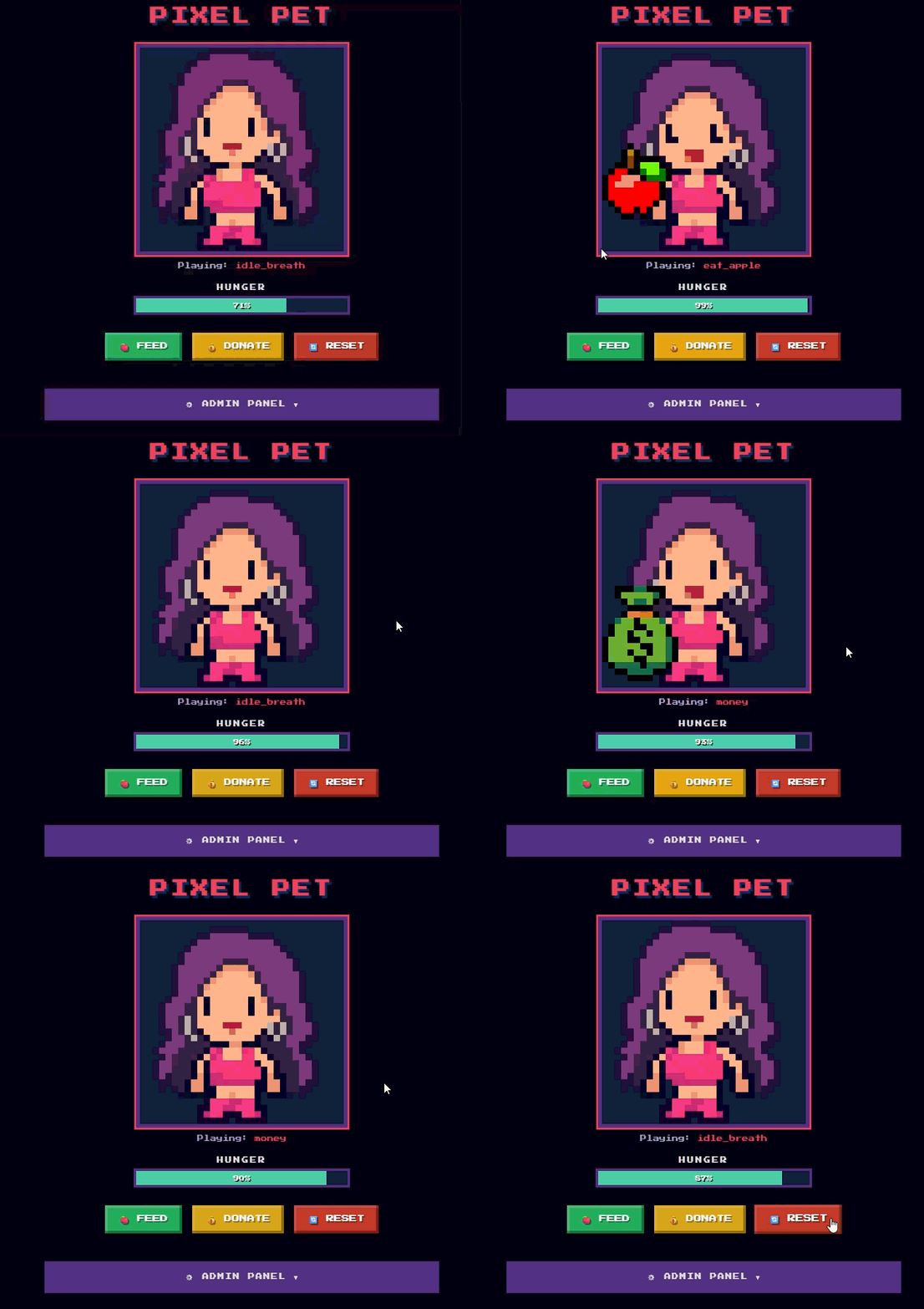
I had an idea of making a Tamagotchi like character that must be "fed" to be kept alive. This character could be displayed on a Twitch stream, and could be fed via donations or subscriptions. For me, the backend technical integrations and API calls was the easy part. But the pixel art and animations seemed like they would be challenging to create. I am not an artist, and I had never made pixel art before, let alone animations for them.
Getting started
I started by using Google's Nano Banana model to take a reference image, and turn it into a simple pixel art image.
I wanted to work with 32x32 pixel frames, so I scaled it down using Nearest Neighbor scaling (works particularly well for pixel art), and made some manual edits until I was happy with it 
Next, I needed a way to animate it...
Pixel Art Animation Programs
I did some research into existing pixel art animation programs to see what was available:
- Piskel - Free in-browser tool that lets you work frame-by-frame. It has an looping animation that you can pop-out into a separate window which updates automatically as you edit the frames.
- Aseprite - Desktop application with a really beautiful UI. Includes hundreds of different features that I would never use - but probably really great for professional work. It costs 19.99USD.
- Krita - Free and open source painting program with animation timelines built in - although it's not really made for pixel art. Also has quite a bit of a learning curve.
What I really wanted to use was:
- Paint.net - This is NOT a pixel art animation tool. It is a very easy to use, yet very powerful photo editing tool. I have been using it for years for image creation and editing.
I wanted a way to use paint.net to directly view and edit an entire sprite sheet (giving me access to all of the tools that I know), while having a secondary window with a constant looping animation that would update as I edited the sprite sheet (similar to Piskel's tool)
This did not exist, so I thought I would bring the idea to life with a Coding Agent.
Paint.net Companion app
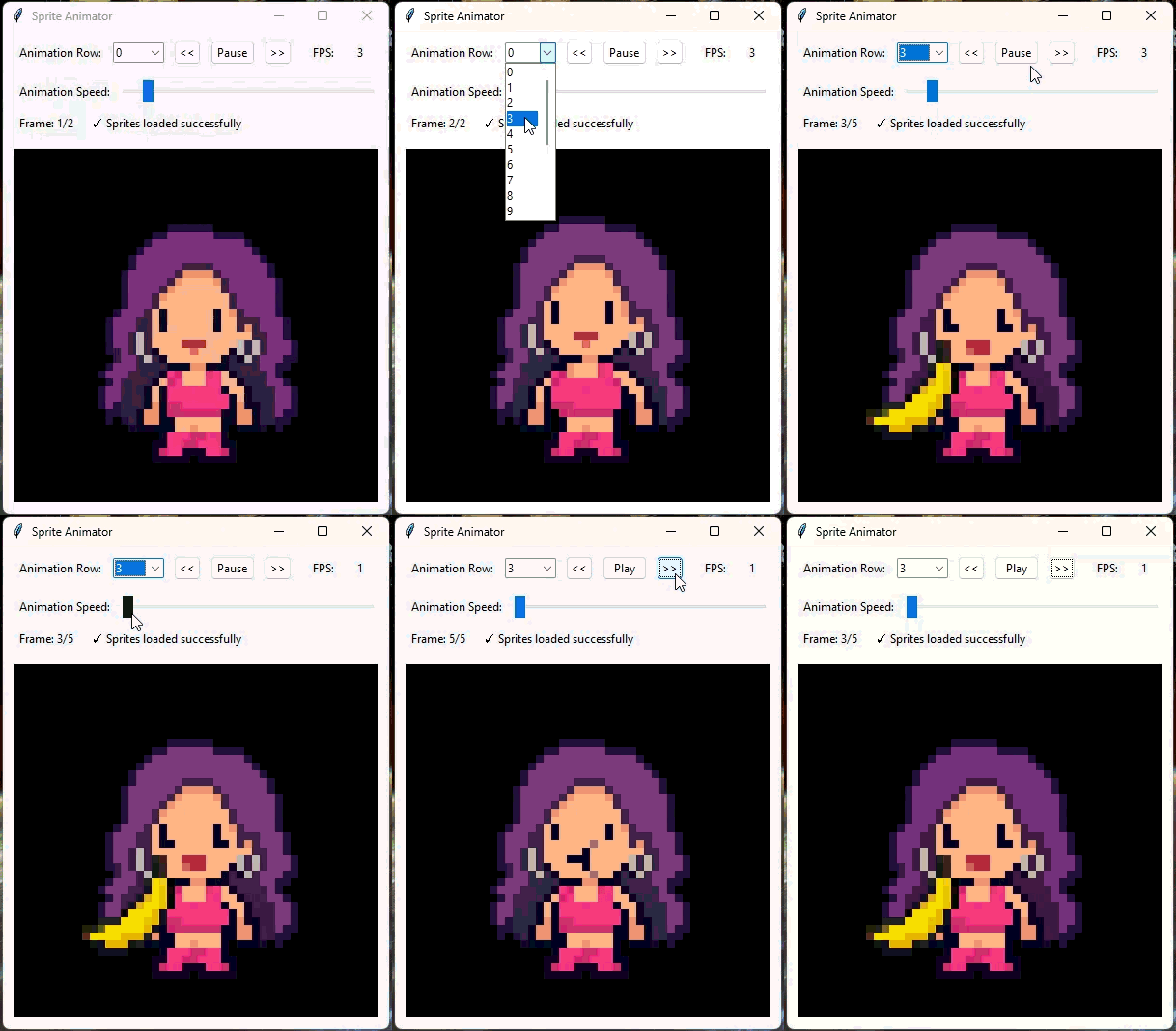
With the help of Claude, I was able to throw together a simple companion app to my paint.net file, where I can be editing the sprite page in paint.net, and when I save with Ctrl+S, it automatically updates the looping animation in the app window.
This allowed me to quickly iterate on sprite frames until I got something that looked visually pleasing.
How it Turned Out
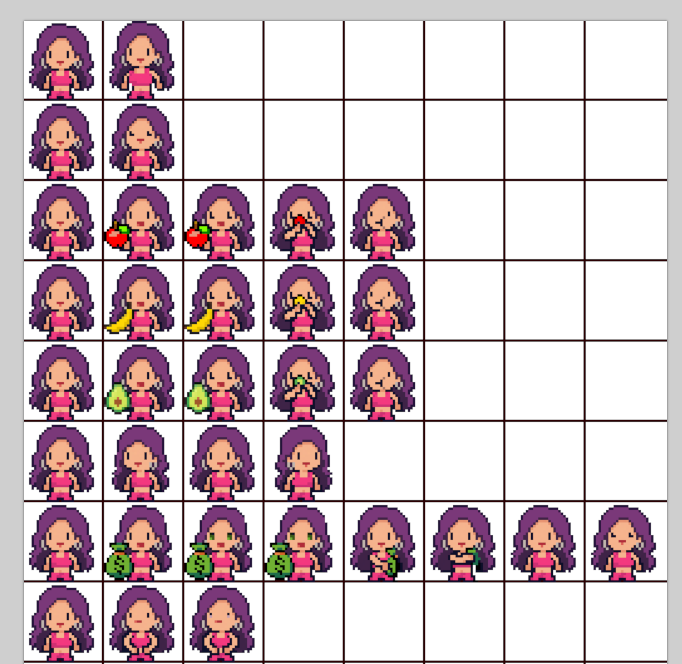
Surprisingly making pixel art (and animations) is not very difficult. I suppose your brain is good at "filling in the blanks".
I chose a 32x32 pixel style which is quite limiting. But I figured the added limitations would make it easier to see past my amateurish artistic ability. I think they turned out pretty good.
This video by Saultoons on Youtube was very helpful. I found it particularly useful to:
- Break down the character into parts for easier animation
- If you change the character's shape, make sure the "volume" looks the same (if it gets skinnier in one part, make it wider in other parts)
Practice really helps. The more you do it, the better you get at it.
SIDE QUEST: Attempt at an Agentic Pixel Painter
While I was working on this, I thought it would be an interesting idea to have an LLM powered agent that iteratively works on making a pixel art image better and better.
So I threw something together with python. I gave the agent one tool - the ability to override pixels on a 32x32 pixel canvas with a set of predefined pallet colors. I also gave it a reference image of the character, and text instructions of what I wanted the frame to be of.
I ran the agent using multiple LLM models, and it turns out they're pretty terrible at this. Giving them higher "reasoning" ability seems to make them even worse. I even tried using some of the "smarter" models (like Gemini 3.1 Pro, and Claude Opus 4.6), but all outputs were pretty terrible. 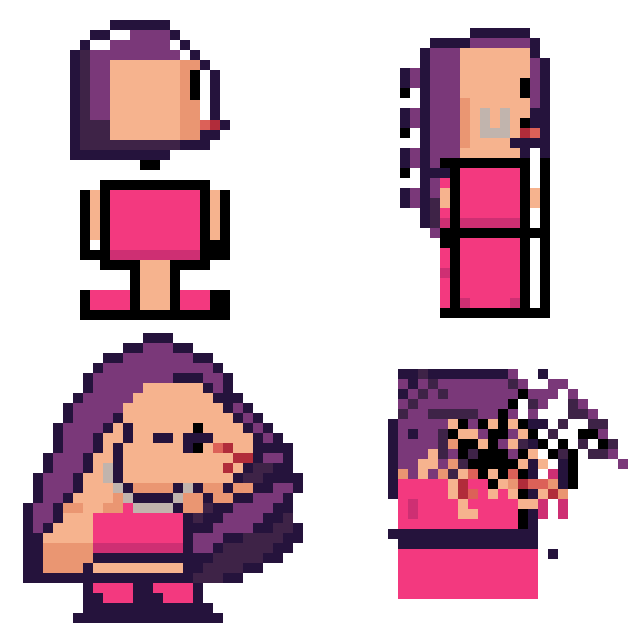
It was also interesting to watch the thinking traces of the models as they worked. I was surprised to see a lot of phrases like "This is looking really great so far!". I suppose that current LLMs don't have great artistic taste.
Conclusion
Pixel art animations are actually enjoyable to make once you get the hang of them.
Nowadays, with coding agents, you can bring your ideas to life by describing the tools you need. If you can clearly articulate your vision, you'll be able to build powerful tools that enhance what you already know and love, helping you create impressive work.
If you are working on a similar project or you'd like to try out some of the tools I've made, feel free to get in touch.